
Getting Started
Common Error Messages
Frequently Asked Questions
Getting Started with Bulk Uploads
1. Navigate to Portfolios, then select Bulk Upload.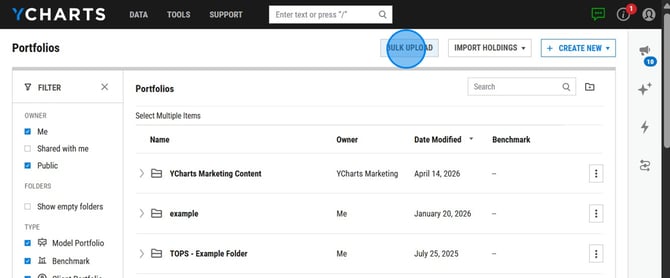
2. Download the template that matches your preferred portfolio type. You can choose between uploading static models or dynamic models. There are different files for each type. Both the Info and Holdings files are required before you can save and upload the data.
- Static Model Portfolio: a point-in-time model without any holding change history
- Portfolio Info File: the general information of a portfolio (Required)
- Portfolio Holdings File: the holdings and weights of the a portfolio (Required)
- Portfolio Return History File: the historical returns of a portfolio (Optional)
- Dynamic Model Portfolio: a model with holding change history
- Portfolio Info File: the general information of a portfolio (Required)
- Portfolio Holdings File: the holdings, weights, and their change history of a portfolio (Required)
- Portfolio Return History File: the historical return of a portfolio (Optional)
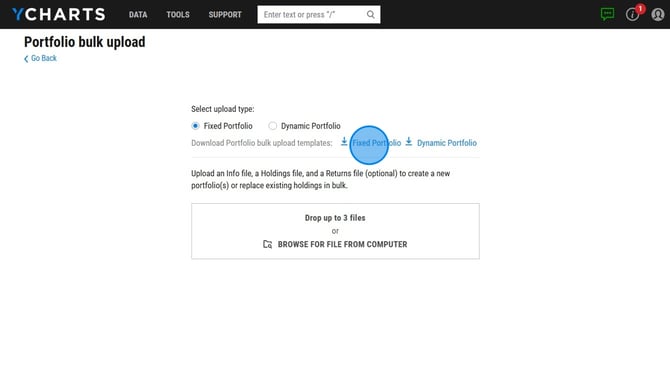
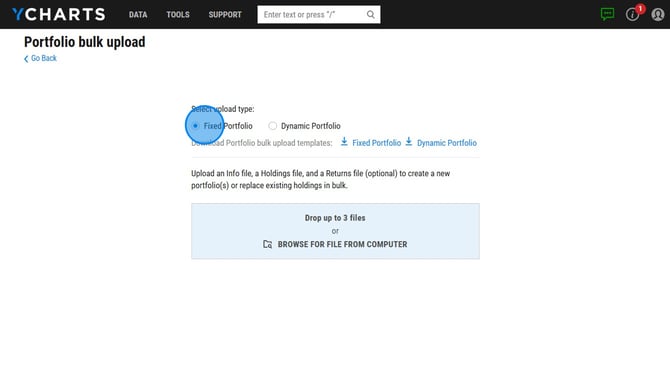
3. Fill out the template, then select your Upload Type and upload your completed file.
Troubleshooting Errors
If a Bulk Upload error occurs:
- An email is sent to the email address associated with your YCharts account. This message will contain messaging regarding what the issues with the file are. If you don't see it in your inbox, check your Spam folder.
- A notification will also appear in your YCharts account. This will not provide information on the issues with the file.
Common Error Messages:
Invalid security symbol
Why: The symbol entered is not valid. It may not be covered by YCharts or it may be a delisted security.
How to Fix: Verify the symbol is correct and supported by YCharts. If it's a delisted symbol, enter in :DL after ticker symbol.
Invalid weight. Weights should be in numeric or percentage format (e.g 0.90 or 90.00%)
Why: Either a 0 weight or in whole numbers rather than decimal/percentage.
How to Fix: Adjust the values to be decimals or percentages. If the weight is 0, remove the value and enter “Never” in the Advisory Fee column.
All dates must be in chronological order
Why: Dates are not listed in chronological order.
How to Fix: Group columns by Portfolio Name, then by Date. Ensure dates run from oldest to newest.
User cannot view benchmark: [benchmark]
Why: The benchmark has not been shared with the YCharts account.
How to Fix: Share the benchmark to a share group that includes the YCharts user.
Management_fee_frequency_missing
Why: An invalid management fee frequency was entered or left blank.
How to Fix: Use one of the valid options:
- Annually
- Quarterly
- Monthly
- Never
Frequently Asked Questions
I uploaded the excel file to YCharts, but it's not letting me save. Why is that happening?
- Make sure you uploaded both the Holdings and Info files, these are required before you can go ahead and save the portfolios.
I've previously used SFTP to bulk upload my portfolios, can I switch to this feature?
- If you are already using SFTP to upload your portfolios, you cannot switch over to updating via Bulk Upload.
I've already created my models in YCharts, can I use the bulk upload to update them?
- Yes, you can bulk upload data for models that were originally created manually in YCharts.
I don't have this feature available in my account, what do I do?
- If you are not seeing the Bulk Upload button on your Portfolios page, reach out to your account rep to get this added.