
Discover how the YCharts Dashboard helps you save time and enhance client communication by centralizing securities and economic data in one place. Easily customize visuals, metrics, and data points for quick insights, and seamlessly share dashboards across your team.
Getting Started
Frequently Asked Questions
Getting Started
How to Create a Dashboard:
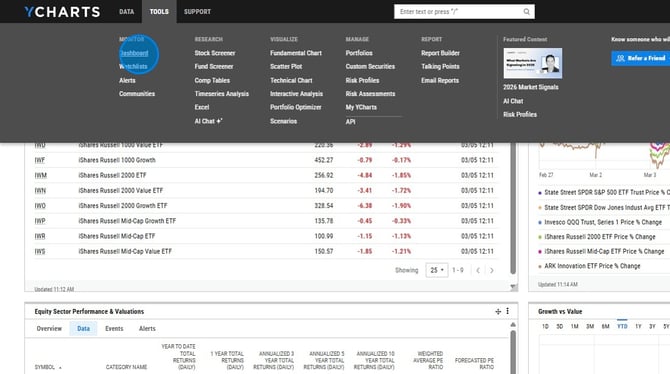
1. Select YCharts at the top left to navigate to the dashboard
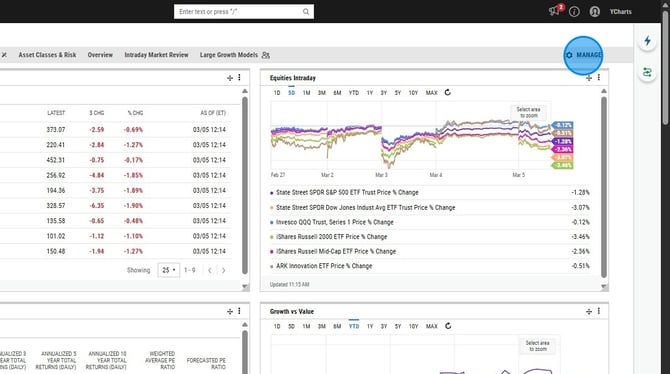
2. Select Manage at the top right
3. Select New Dashboard on the left side
.png?width=670&height=375&name=Create%20A%20New%20Dashboard%20And%20Add%20A%20Security%20List%20-%20Step%203%20(1).png)
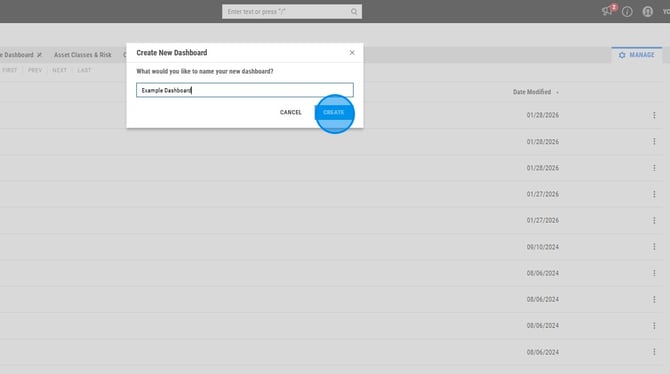
4. Give the new dashboard a title
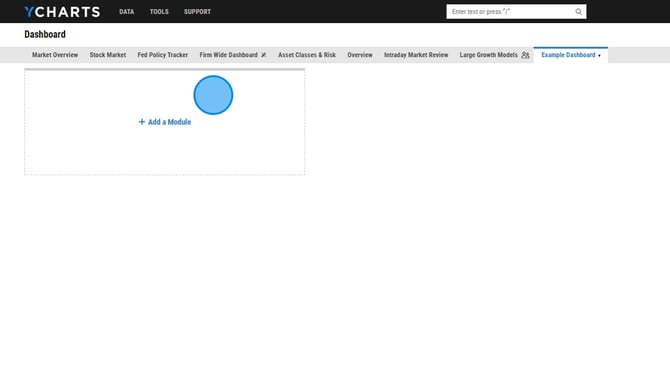
5. Select Add Module to add modules to the dashboard
6. Resize the modules using by dragging the bottom right corner
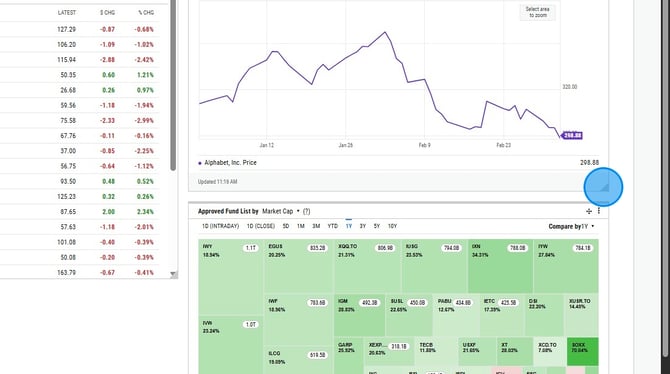
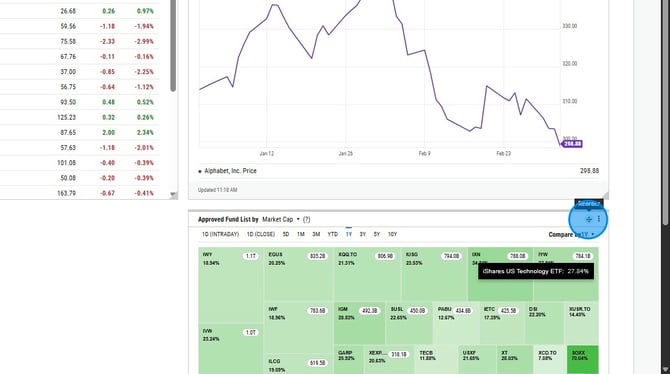
7. Reorder the modules using the arrow icon at the top right of the module
Frequently Asked Questions
Can I share my dashboard with colleagues?
- Yes, in the grey ribbon at the top of your dashboard page, select the dashboard you'd like to share and select either Share (will just appear in their "Shared Dashboards" folder) or Share and Publish (automatically add the dashboard directly to their dashboard page).
Can I edit or duplicate a shared dashboard?
-
No, at this time it's not possible to edit or duplicate any dashboards that have been shared with you.
What types of modules can I add to a dashboard?
- Modules include charts (fundamental, heatmap, scatter plot, technical, and yield curve), security and indicator lists, news, alerts, text boxes, custom images, and AI market commentary.
How many dashboards can I have?
- There is no limit on the amount of dashboards you can have in your account