
Build personalized reports using the drag and drop email builder to provide targeted information on major holdings, engaging clients in a simple and personalized way. Schedule updates at daily, weekly, monthly, or quarterly intervals and leverage pre-built templates to streamline the entire process.
Getting Started
Frequently Asked Questions
Getting Started
How to Build an Email Report
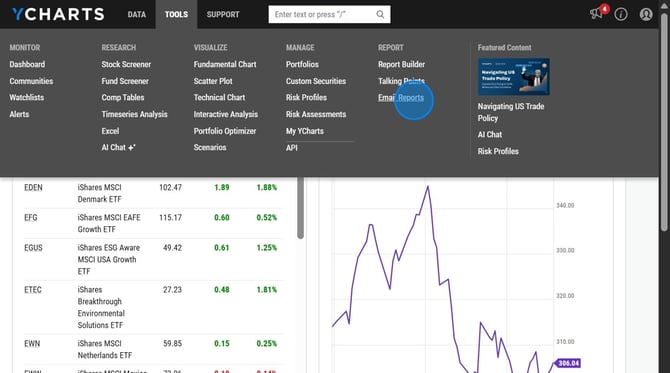
1. To access navigate to Tools and then select 'Email Reports'
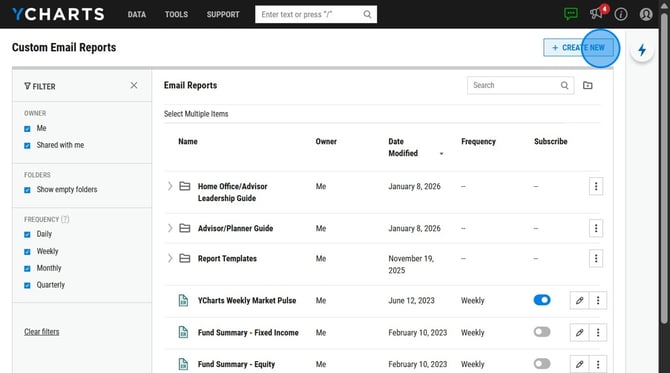
2. Open Email Reports and click 'Create New' in the upper right corner
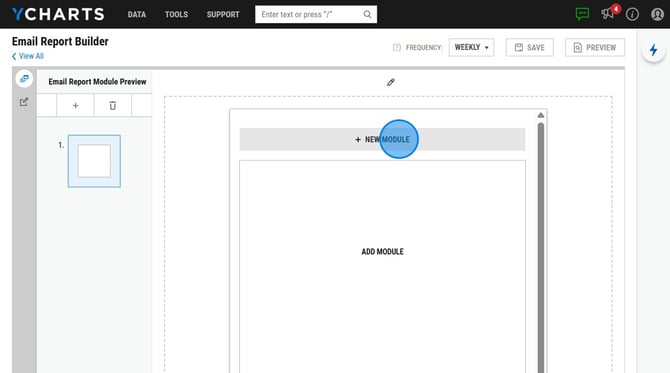
3. Select 'Add Module' and choose from the options that appear on the left hand side and drag and drop it into the blank space to the right. You may include modules highlighting performance metrics, economic indicators, stock and economic event calendars, or incorporate a saved fundamental chart.
4. Choose how often you'd like the report sent to you by selecting a Frequency in the upper right corner.
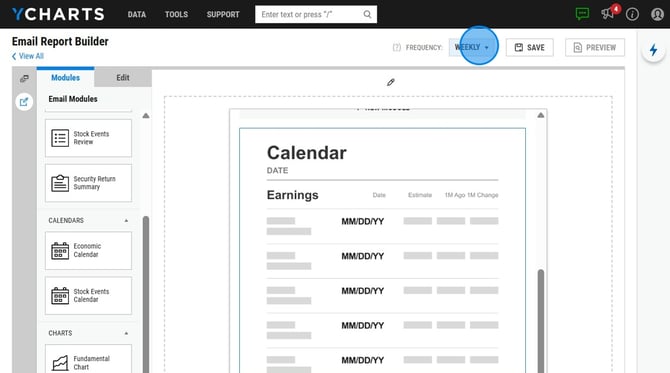
5. Save your email report.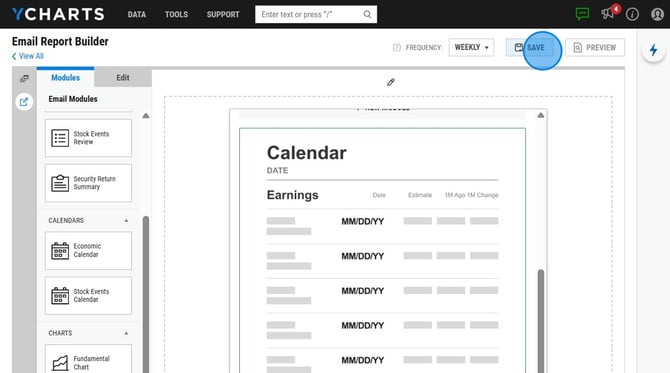
Frequently Asked Questions
Can I add my logo to email reports?
-
Yes you can, please see the report branding page to upload your logo onto your account. This will show up on your custom email reports as well as other reports you generate on our site.
Can I send email reports to clients?
- If your compliance team has approved, you can send these reports to clients. However, we do not have a way to send them directly on the website. You will need to forward them once they've been delivered to your inbox.
Why didn't I receive an email after creating a report?
-
The custom email report is sent around 6:30AM CT on that day. If you created the report after this time, the report will then be sent out the following day.