
With French PDF reports, advisors can now deliver a more personalized client experience without changing their existing Report Builder workflow. YCharts automatically handles the translation of metric labels, chart labels and legends, dates, currency formatting, and standard legal disclosures within the PDF report.
Overview
What's Included
How to Create French Reports
Frequently Asked Questions
Overview
YCharts now supports generating client-facing PDF reports in French. When French is selected as the report language, we automatically translate key content within the report, including:
- Metric names
- Chart labels and legends
- Dates and currency formatting
- Standard YCharts legal disclosure language
What's Included
Translated in the PDF
- Supported metric labels (approximately 2,100 metric labels across categories such as Asset Allocation, Dividends, Fund/ETF metrics, Portfolio metrics, Risk, Returns and Performance, and Price and Valuation Multipliers)
- Dates and currency formatting
- Standard YCharts legal disclaimer
- Security names, when available from data providers
Not Translated
- The following report builder modules are English only:
- All disclosure modules
- Attribution Analysis modules
- Scenarios and Proposals modules
- Fundamental Chart and Comp Tables are mostly translated, but some English may still remain
- Custom text modules
- French definitions or content within disclosure modules
How to Create a French Report
1. Create your report in Report Builder. For step by step instructions on how to create a brand new report, click here.
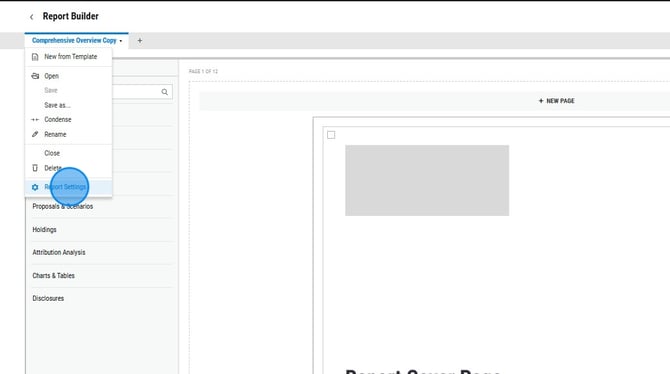
2. Click the report name dropdown and select Report Settings.
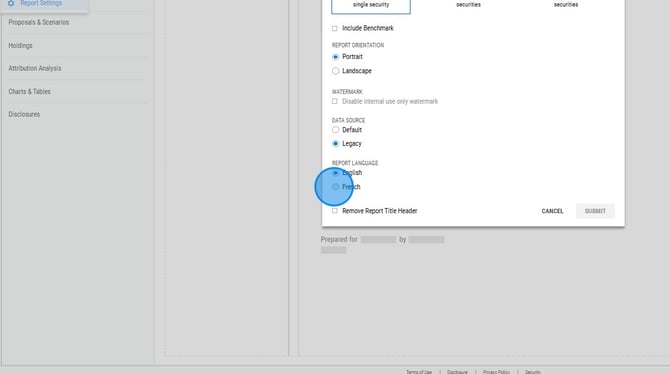
3. Toggle the Report Language to French, then select Submit.
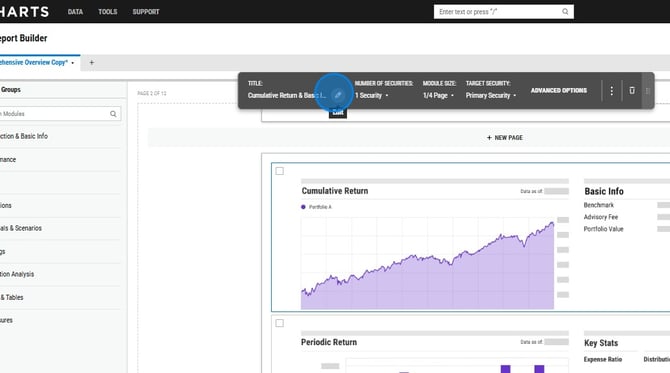
4. Module titles are still in English, select each module and translate to French.
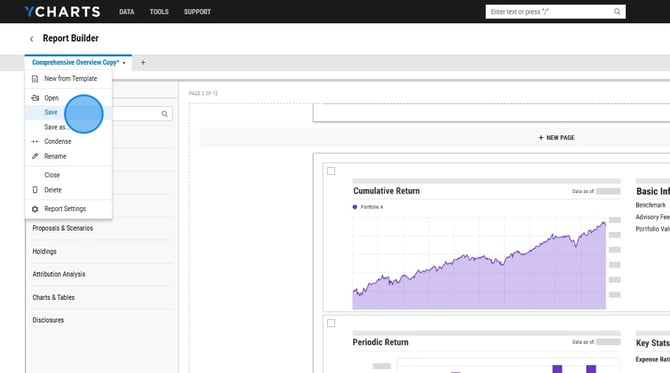
5. Click the report name dropdown and select Save. You can now generate your French report.
Frequently Asked Questions
Can I filter by French reports?
- Yes, on the left hand side of the Report Builder page, you'll be able to filter to just show French reports.
Are all metrics available in French?
-
Not yet. There are over 8,000 metrics available on YCharts. We will continue to add French translations over time based on demand. Please reach out to your account manager or our support team if you have specific requests.
Does this translate the YCharts platform into French?
-
No. This feature supports French-language PDF report output only. The YCharts platform and Report Builder tool remain in English.
What happens if a metric doesn't have a French translation?
-
The metric label will display in English.
Are security names translated into French?
-
When available through Morningstar or Lipper data sources, French security names will display automatically. Otherwise, English names will appear.