
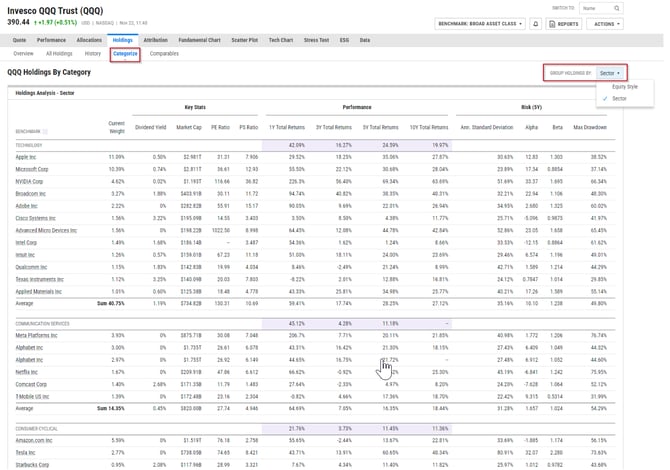
The Categorize tab under Holdings will break out your holdings by category. You can select different categories by clicking on the dropdown of ‘group holdings by’ on the top right corner. Please note that this table will be limited to the TOP 25 Holdings only.
Frequently Asked Questions:
Why are stocks falling into the "Other" category?
-
Stocks will fall into the "Other" category if you are grouping by Broad Asset Class. We recommend switching the grouping to Sector for securities that contain a majority of stocks.
Can I make edits to the metrics shown on this page?
- At this time, we are not able to make any changes to the metrics selected for this module.
Can I add this module to a PDF report?
- Yes, this can be added to a report in Report Builder. It will be the "Holdings by Category" module found under the Holdings grouping. You can also export this page directly by selecting Export in the upper right corner.