This article covers how to compare two securities in YCharts using ratios, correlations, and spreads, including how each method can be used to analyze relationships and differences across selected metrics.
Getting Started
Creating a Ratio
Creating a Spread
Creating a Correlation
Getting Started
Creating a Ratio
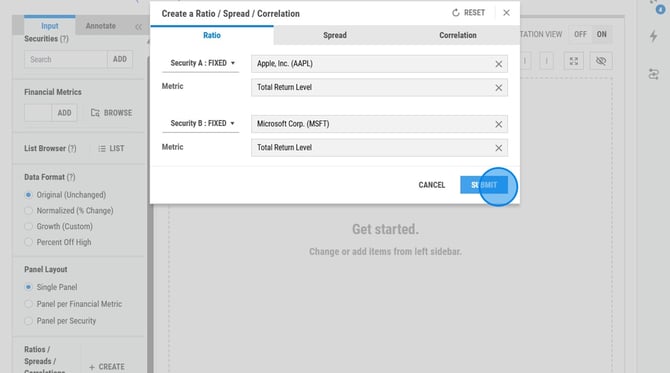
A ratio compares the value of one security to another by dividing a selected metric for Security A by the same metric for Security B. This helps you evaluate relative performance, valuation, or financial trends between the two securities over time.
To create a Ratio, follow the steps below:
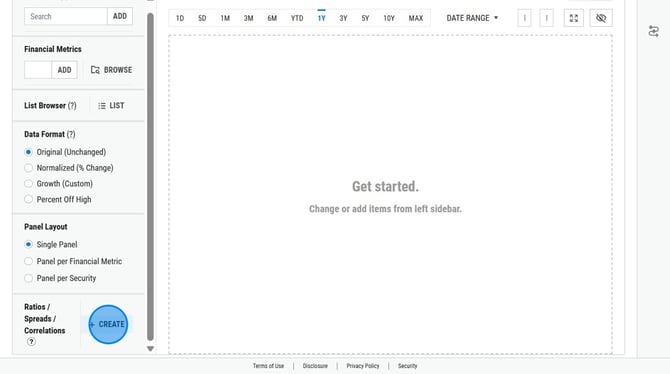
1. Select + Create.
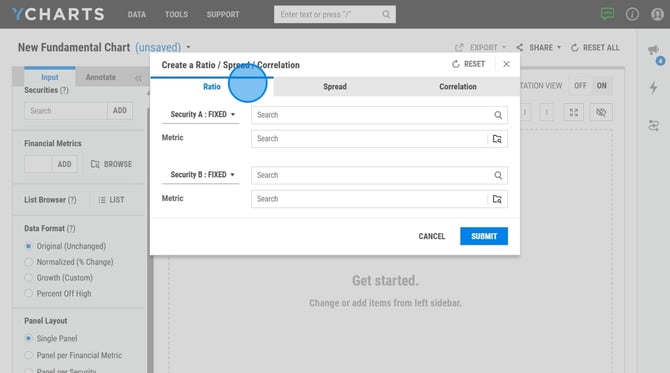
2. Select the Ratio tab.
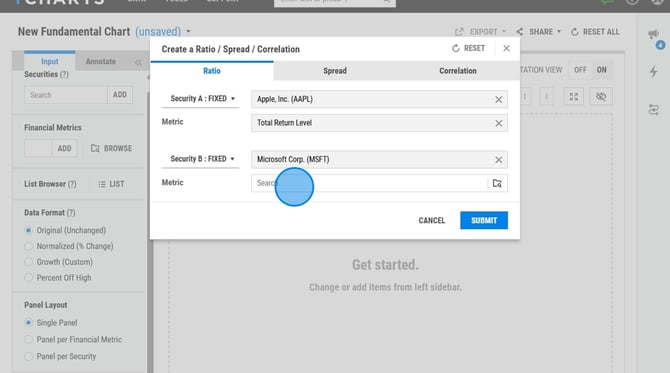
3. Enter the securities and financial metrics for Security A and Security B.
4. Select Submit to populate.
Creating a Spread
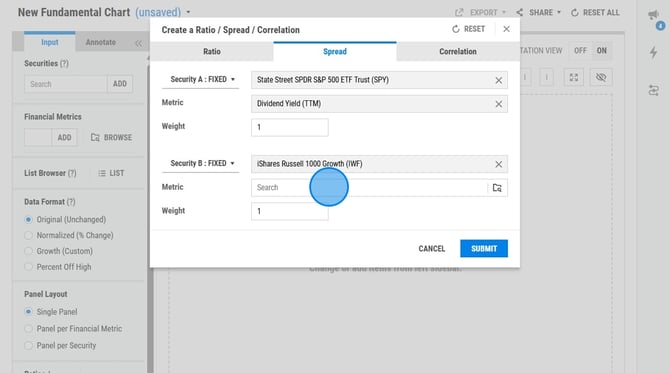
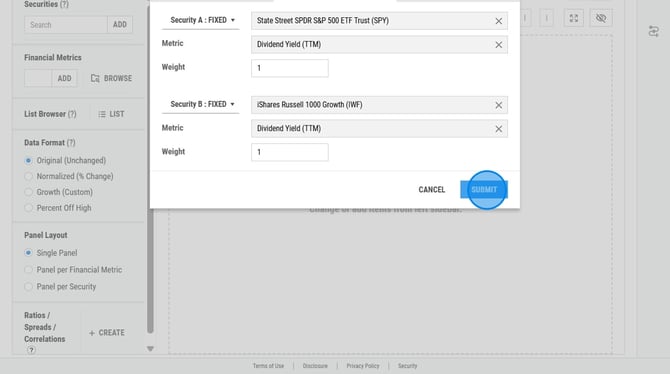
The spread option takes the metric from security A and subtracts the metric from Security B.
Spreads will also include an option for weight. The weight box allows you to multiply one of the metrics by a factor you enter.
To create a Spread, follow the steps below:
1. Select + Create.
2. Select the Spread tab.
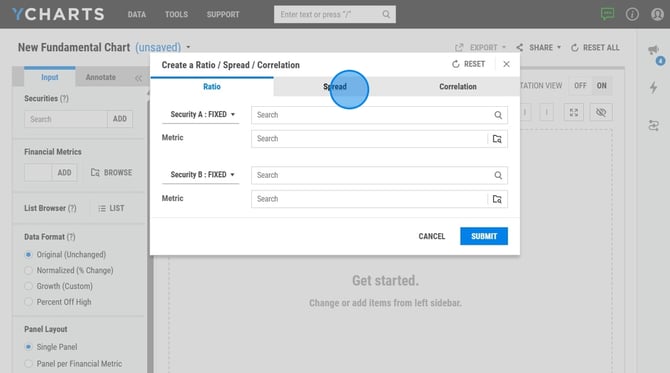
3. Enter the securities and financial metrics for Security A and Security B.
4. Select Submit to populate.
Creating a Correlation
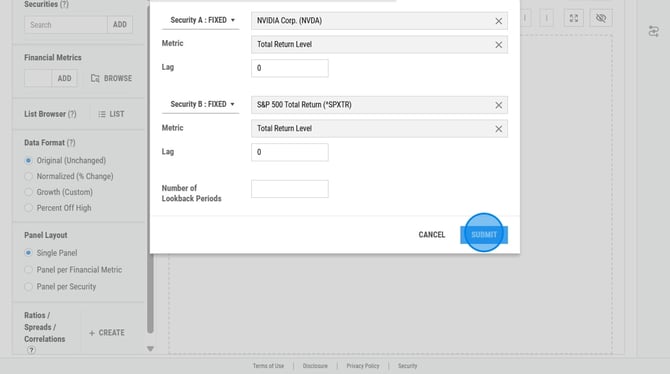
The correlations section measures the rolling correlation between the metrics you enter. A correlation of 1 means that the two metrics are in perfect correlation with each other; when one increases or decreases, the other follows in exactly the same way.
The Lag input will push the metric back by the number of periods you enter. For example, if you type a lag of 2 for a monthly indicator, the correlation calculation will look at that indicator 2 months prior to the other metric. This is helpful to see if an indicator "leads" another indicator.
The Number of Lookback Periods of the correlation is determined by the frequency of the metrics you chose. If you're correlating metrics with different frequencies, the lookback period is found using the metric with the shorter frequency. For example, if you're correlating a company's revenue (quarterly) to their stock price (daily), the lookback period will be 11 quarters.
-
Daily/weekly: 120 periods
-
Monthly: 31 periods
-
Quarterly: 11 periods
-
Yearly: 3 periods
To create a Correlation, follow the below steps:
1. Select + Create.
2. Select the Correlation tab.
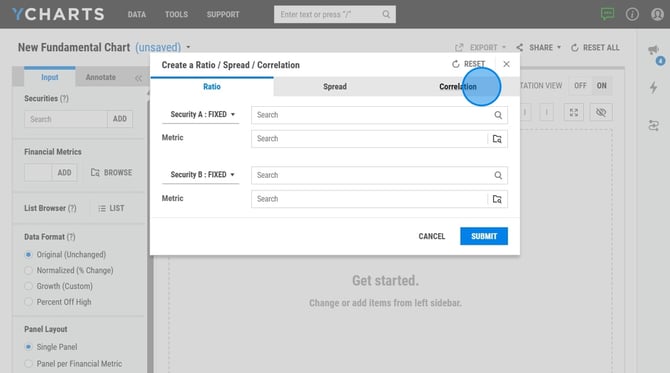
3. Enter the securities and financial metrics for Security A and Security B.
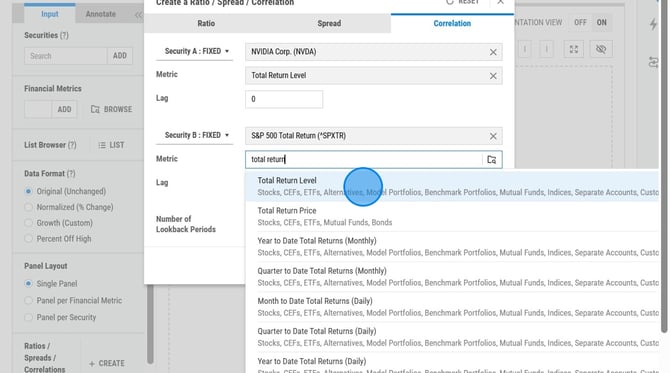
4. Select Submit to populate.