
By creating a centralized firm-wide dashboard, you ensure every team member has immediate access to the specific data points that drive your unique investment strategy. This tailored approach allows you to curate exactly what your colleagues see to keep the entire organization aligned and informed.
Getting Started
Frequently Asked Questions
Getting Started
How to Build a Firmwide Dashboard
1. Select the dashboard name tab
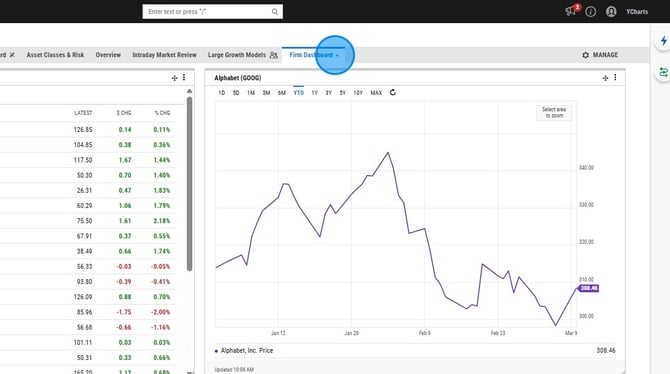
2. Select Share
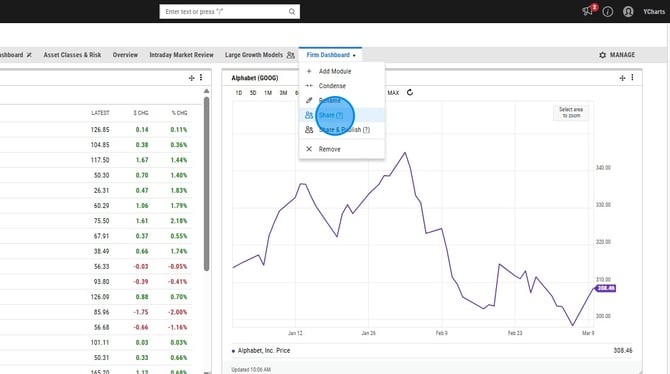
3. Adjust the dropdown on the left to your firm's share group
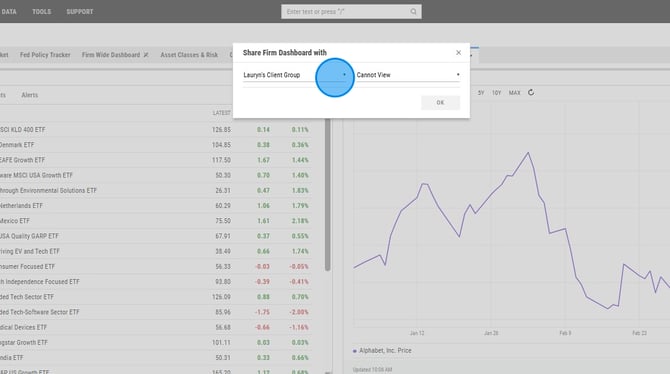
4. Adjust the dropdown on the right to Can View
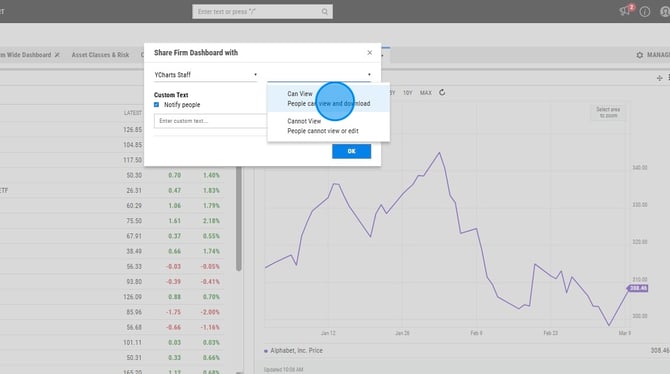
5. Check or uncheck Notify people
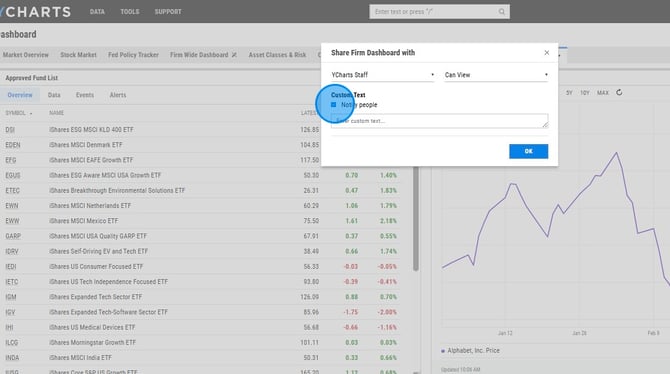
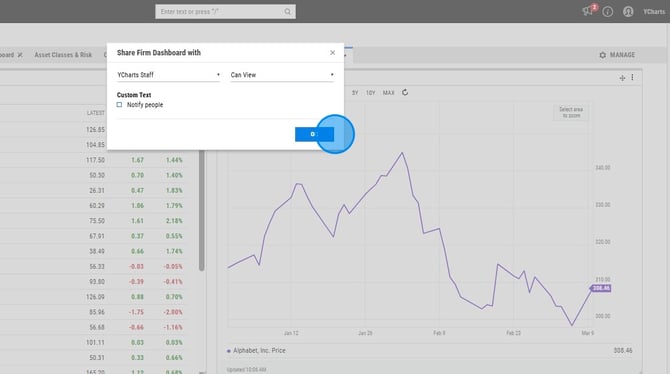
6. Select Ok
Frequently Asked Questions
Will colleagues be able to duplicate or edit the dashboard?
No, only the owner of the dashboard will be able to make any edits. We do not currently have a way to duplicate dashboards.
Can I share this dashboard with multiple share groups?
No, we can only share a dashboard with one share group.