Dynamic Portfolios on YCharts let you track how a portfolio changes over time. While you can’t convert a static portfolio into a dynamic one directly, you can easily recreate it by using your current holdings and weights as the foundation.
To convert a Portfolio to a Dynamic Portfolio follow the below steps:
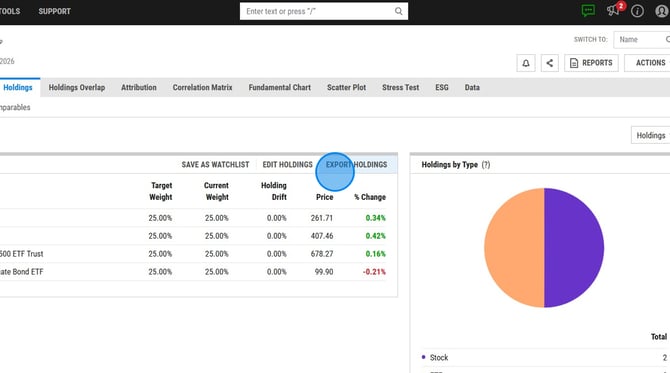
1. Export your portfolio holdings by heading to the Holdings tab of the portfolio and selecting 'Export Holdings'. This will create an excel spreadsheet with the holdings and their target weights.
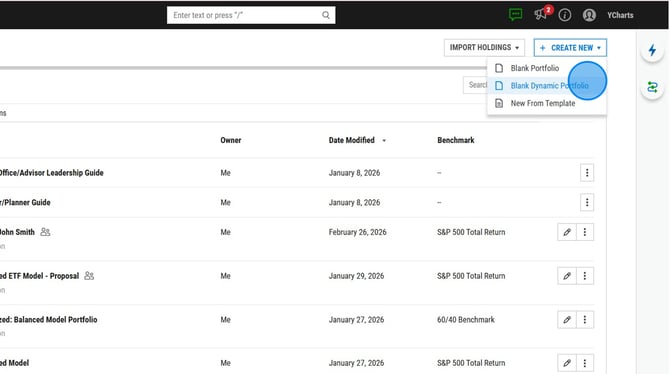
2. Create a dynamic portfolio by heading to Tools --> Portfolios --> Create New --> Blank Dynamic Portfolio.
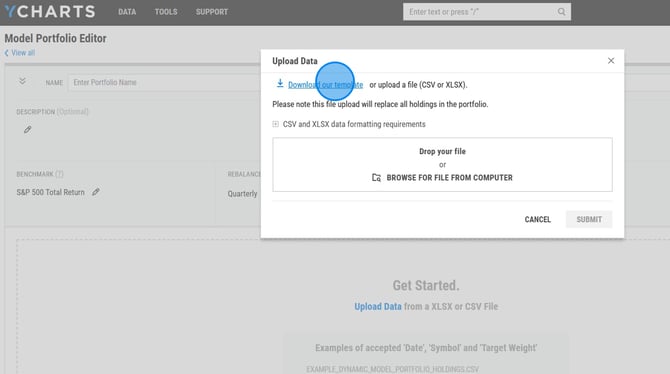
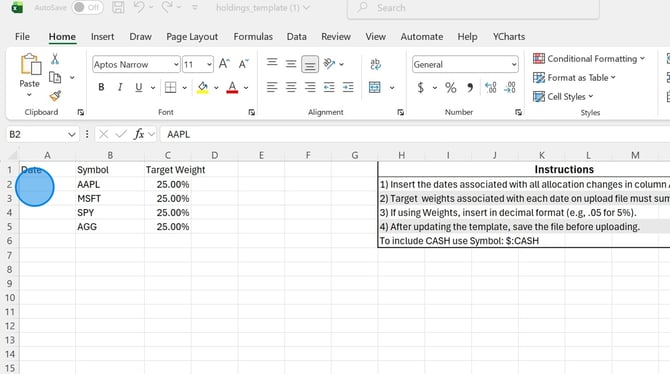
3. Click Upload Data in the new Dynamic Portfolio and download the Excel template provided.
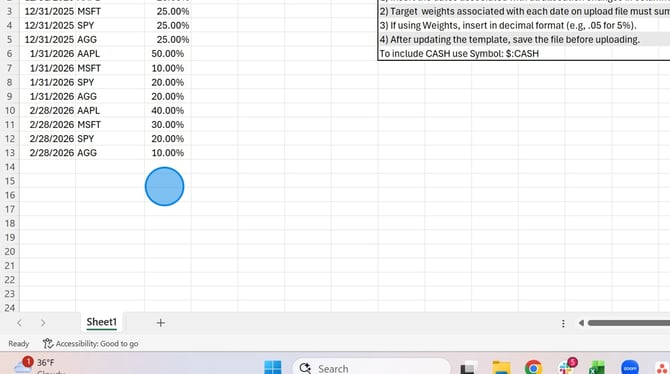
4. Fill in and complete the Template. You can copy and paste the holdings and weights from the other spreadsheet into the dynamic upload template. Note: Ensure that all holdings were active on the date selected. Add multiple holding periods to show the holdings changing over time.
5. If your portfolio contains a Delisted Security please reference this article for details steps.
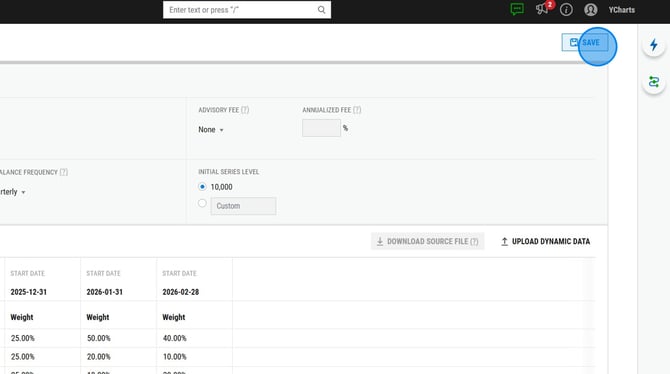
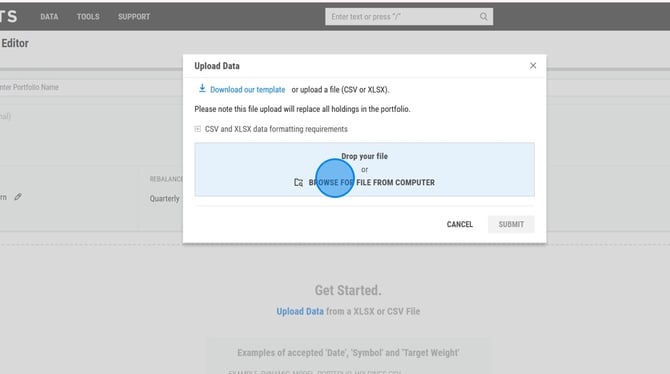
6. Return to the Dynamic Portfolio editor and upload your completed template via Upload Data.
7. Save your portfolio.