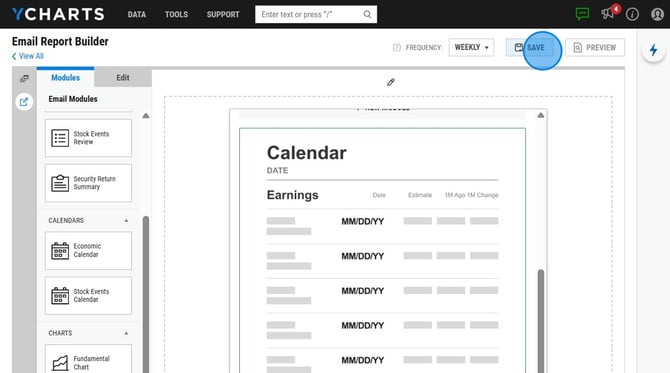
Build personalized reports using the drag and drop email builder to provide targeted information on major holdings, engaging clients in a simple and personalized way. Schedule updates at daily, weekly, monthly, or quarterly intervals and leverage pre-built templates to streamline the entire process.
How to Build an Email Report
1. To access navigate to Tools and then select 'Email Reports'
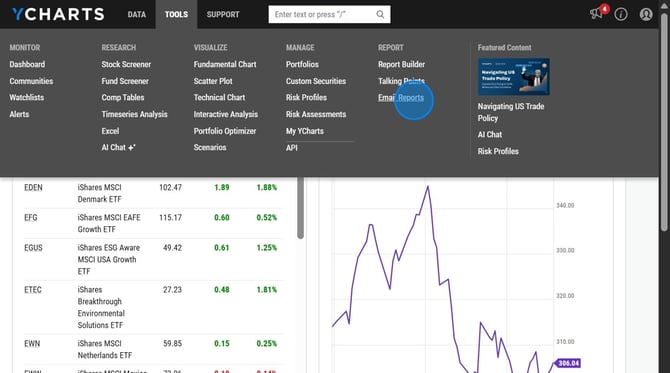
2. Open Email Reports and click 'Create New' in the upper right corner
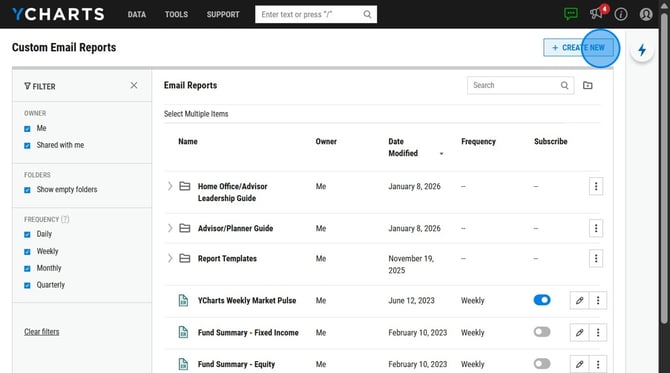
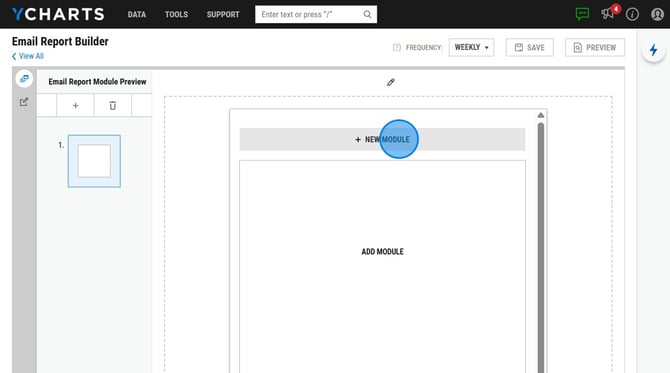
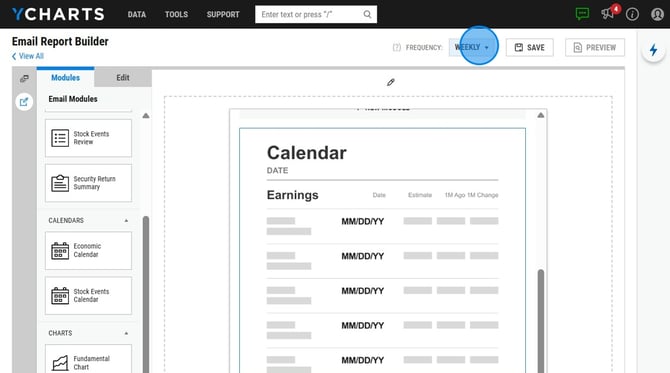
3. Select 'Add Module' and choose from the options that appear on the left hand side and drag and drop it into the blank space to the right.
-
- You may include modules highlighting performance metrics, economic indicators, stock and economic event calendars, or incorporate a saved fundamental chart.
4. Choose how often you'd like the report sent to you by selecting a Frequency in the upper right corner.
5. Save your email report.