
The Holdings Overview tab provides a clear view of the holdings for your selected security or portfolio. You can switch between multiple views and levels of holdings detail, and you also have the option to export the data to Excel for deeper analysis or to a PDF report for a client-ready presentation.
Holdings Level
Expanded Holdings
Frequently Asked Questions
Holdings Level
Within the Overview tab, you have three different levels of holdings breakdown you can view. You can toggle between the three, Holdings, Invested Holdings, and Underlying Holdings using the dropdown button on the right hand side of the page.
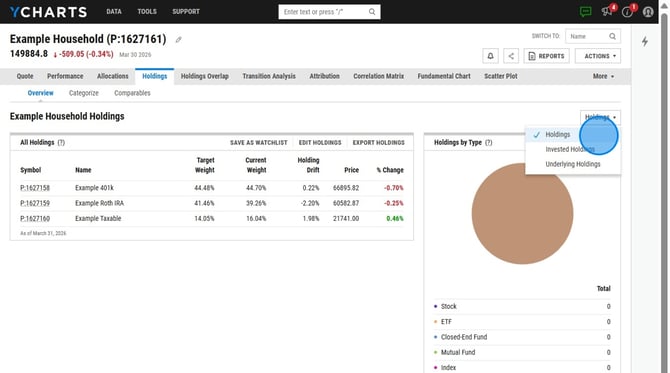
Holdings: This will have the holdings listed exactly as they were inputted into the portfolio editor. This view also has a breakdown by holding type, allowing you to view the allocation makeup of the portfolio.
.jpeg?width=670&height=374&name=Accessing%20Specific%20Household%20Holdings%20and%20Portfolio%20Details%20-%20Step%201%20(1).jpeg)
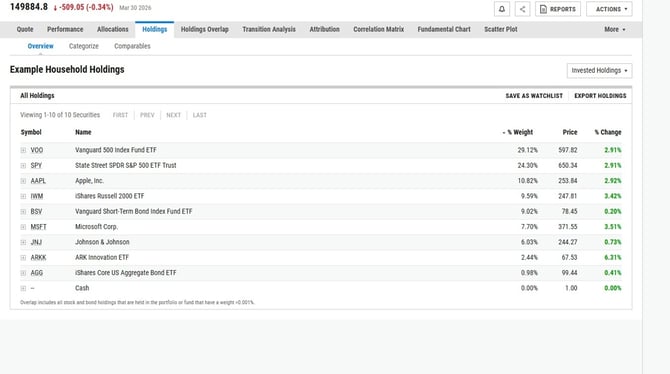
Invested Holdings: This view is typically seen in Household Portfolios - where individual portfolios are listed as the Holdings. This will show you all of the holdings included in all of the portfolios that makeup the household.
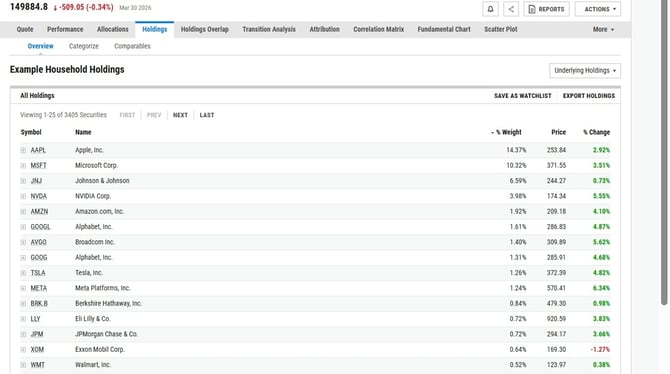
Underlying Holdings: This will have the individual securities held within the funds in your portfolio, looking through each fund to its component stocks and bonds.
Expanded Holdings
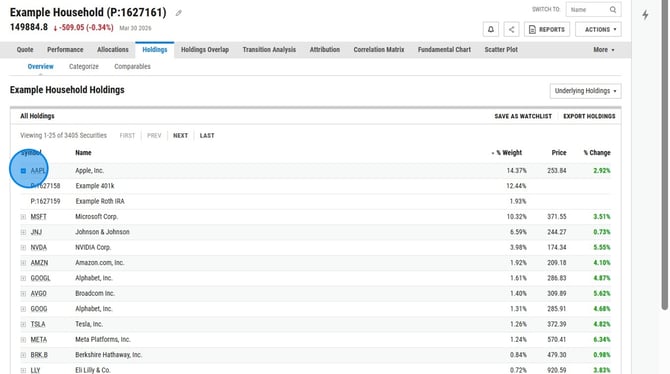
Both the Invested Holdings and Underlying Holdings views allow you to expand your view and see what securities are held within a fund or portfolio, highlighting exposure and fund overlap. You can view this data by selecting the 'plus' icon next to each holding or export to a PDF for a client friendly format. This module can also be included in a report template, click here to learn more.
Frequently Asked Questions
Can I export this data to a PDF or Excel?
- Yes, you can export to a PDF or Excel on this tab directly by selecting Export near the upper right corner. The Holdings view can be exported only to Excel, while both the Invested Holdings and Underlying Holdings views can be exported either to Excel or as an Expanded Holdings PDF.
Can I add this data to one of my report templates?
- Yes, we have a handful of different holdings modules that can be added to reports, including the Expanded Holdings view. This can be done in our Report Builder tool.