Skip to content
English - United States
  • There are no suggestions because the search field is empty.

How to Periodically Increase the Contributions or Withdrawals in Scenarios?

The Scenarios tool allows you to periodically increase the contributions or withdrawals within your scenario. This can help you account for inflation, planned changes in savings behavior, or expected shifts in client spending needs over time. 


How to Add a Rate of Change

1. Add a scenario.
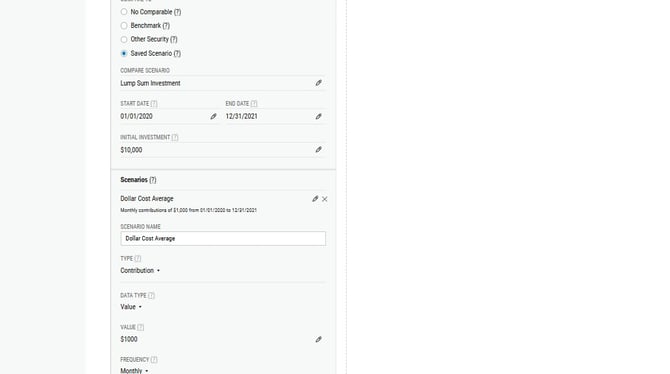
Configuring Custom Dollar Cost Averaging Rates - Step 0


2. Select the Rate of change checkbox.
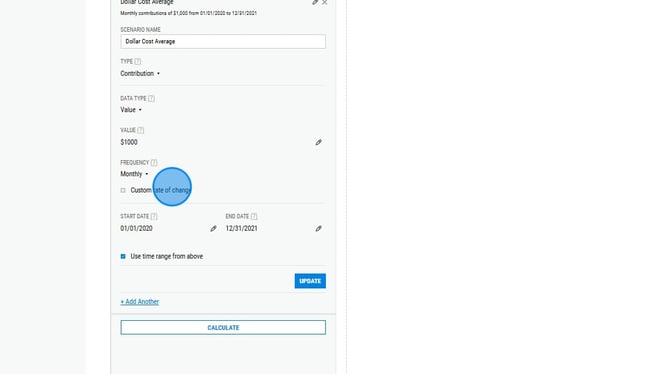
Configuring Custom Dollar Cost Averaging Rates - Step 1


3. Select Percentage or Value in the Rate of Change Data Type section.
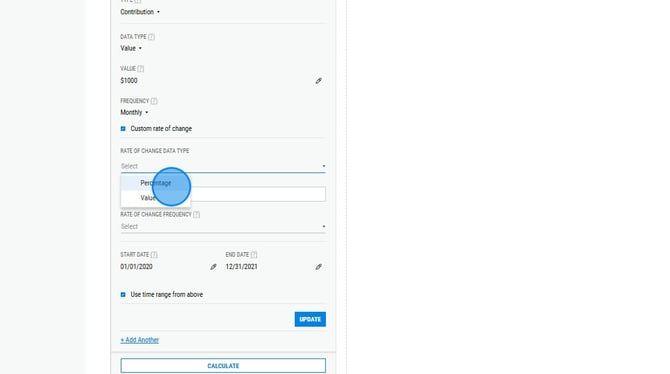
Configuring Custom Dollar Cost Averaging Rates - Step 3


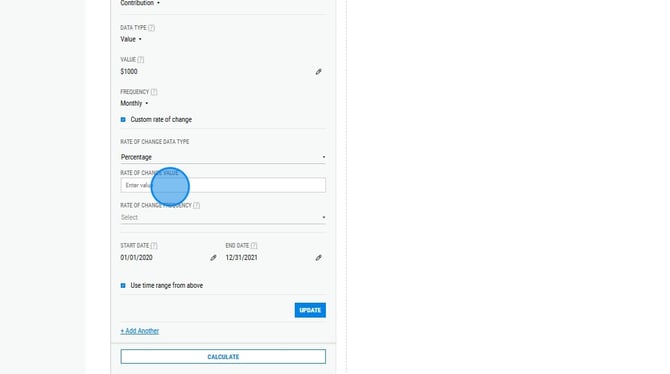
4. Enter a rate of change value.

Configuring Custom Dollar Cost Averaging Rates - Step 4


5. Select a rate of change frequency.
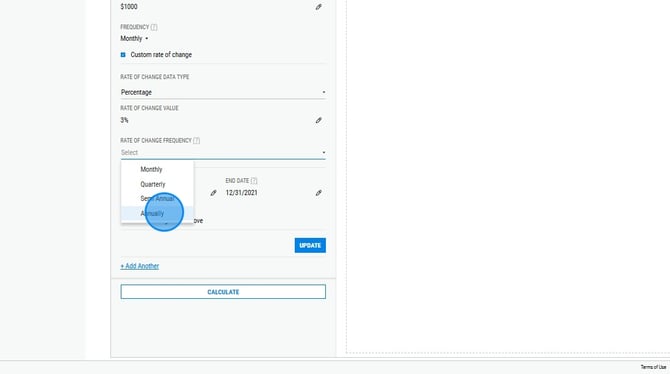
Configuring Custom Dollar Cost Averaging Rates - Step 7


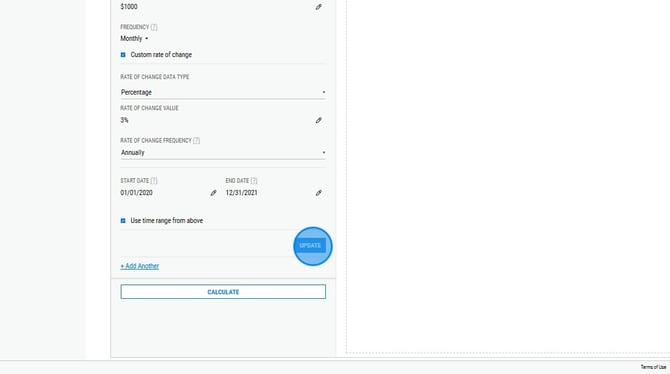
6. Enter start and end dates, selecting Use time range from above if you'd like the rate of change to apply to the full scenario. Then select Update. Configuring Custom Dollar Cost Averaging Rates - Step 8


Related Articles

Scenarios: Overview

How to Show a Lump Sum vs Dollar Cost Averaging Scenario