
Auto-benchmarking instantly creates a benchmark that is closely aligned with the portfolio’s asset allocation, requiring no manual setup.
Overview
Getting Started
Frequently Asked Questions
What are Auto-Benchmarks?
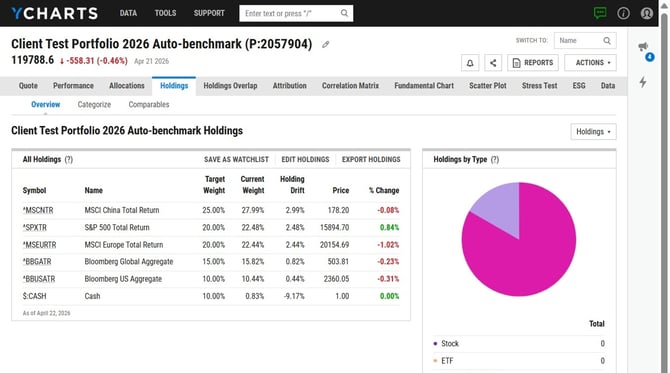
Auto-benchmarks automatically create and assign a benchmark to your portfolio based on its underlying holdings. This removes the need to manually construct a benchmark for each portfolio, our system does this for you. In addition, whenever you update the portfolio’s holdings, the associated auto-benchmark will adjust accordingly so that it continues to reflect the portfolio’s current asset allocation.
Our auto-benchmark works by:
-
Analyzing the portfolio’s current holdings to determine its asset allocation.
-
Identifies the appropriate benchmark indices tied to those holdings (using YCharts Benchmarks and ETF exposure proxies). Learn more about that mapping here.
-
Builds a blended benchmark portfolio by calculating a weighted-average of those indices.
-
Automatically assigns this blended benchmark to the portfolio.
How to Add Auto-Benchmarks to Portfolios
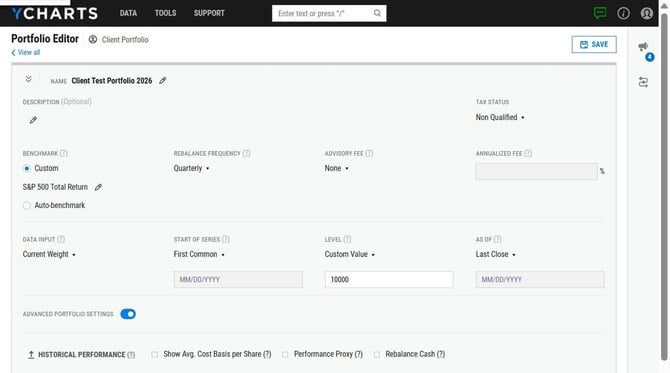
1. Open the portfolio editor.
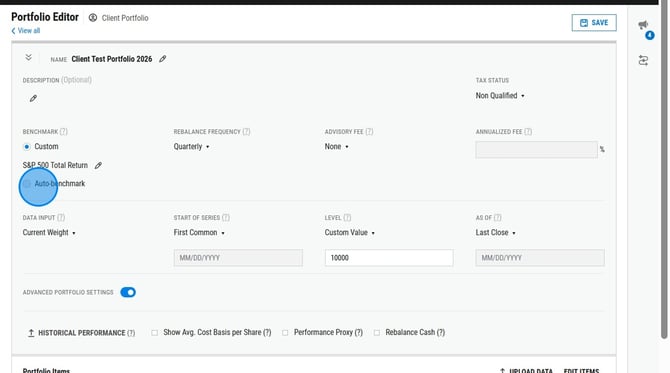
2. Toggle on the auto-benchmark option.
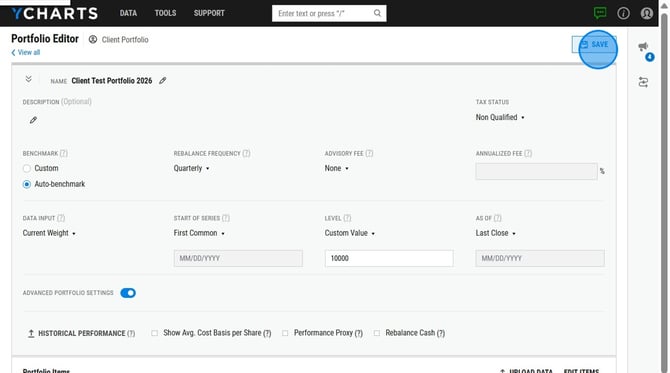
3. Finish setting up the portfolio, then click Save.
4. Back on the Portfolios List page, it'll start calculating both your portfolio and auto-benchmark portfolio.
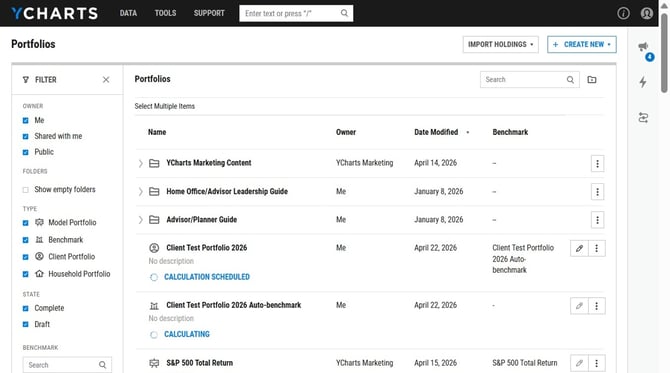
5. Once finished calculating, you can go into the benchmark portfolio and view the holdings makeup.
Frequently Asked Questions
Can I share an auto-benchmark with a colleague?
-
Yes, auto-benchmarks can be shared just like any other portfolio. To share, find the auto benchmark portfolio on the Portfolios list page and select the three dots to the right of the portfolio name, then click Share in the dropdown menu.
Are auto-benchmarks available for dynamic portfolios?
-
No, currently auto-benchmarking is only available for static portfolio types.
Can I delete an auto-benchmark?
-
An auto benchmark can only be deleted after the original portfolio has been deleted.
Can I rename an auto-benchmark?
-
No, the auto-benchmark cannot be renamed.
Can the auto-benchmark be assigned to an already created benchmark?
- No, the auto-benchmark will not be able to use any saved benchmarks in your account.
How are custom securities and cash holdings mapped?
- Custom securities will be mapped to the S&P 500 Total Return (SPY proxy) and cash holdings are mapped to the same cash holding in the benchmark.